
High-Level Project Summary
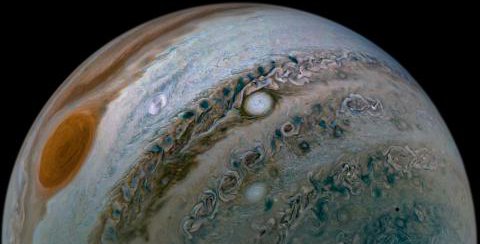
We developed a desktop app that allows users to process images captured by JunoCam. This app is written in Python, which makes it run fast and of easy accessibility. Our project provides an easy interface to edit an image and start adjusting its brightness, contrast, among other features.
Link to Final Project
Link to Project "Demo"
Detailed Project Description
This app is written in Python, using PIL (Pillow) library and Matplotlib.
The user can adjust its brightness, contrast, color enhancement and sharpness entering the desired value in the app, and also sharpen details of the image.
The before and after images are displayed; and the final image will be saved in the computer.
We hope to provide a tool to experiment and have fun being creative with JunoCam's images, bringing closer these images to the public and help us learn more details about Jupiter and its moon's. Since the interface is in Spanish, this brings the JunoCam project closer to the Spanish-speaking public.
Space Agency Data
We used images from JunoCam Galery.
Hackathon Journey
I (Juan Camilo) liked this project because it allowed me to gain knowledge about the Juno project and apply it to my area of knowledge, which is development, where I get an idea of how NASA professionals interpret the images that come to them from the space probe that orbits around of Jupiter to make the conclusions relevant to their area of investigation
I (Angela) started this journey without even knowing how to create an app, but I really enjoy how NASA projects push to overcome obstacles, learn new things and achieve challenges that wasn't even formulated before. I wasn't able to go to the local event because of some health issues, but I really wanted to participate.
So I contacted my friend Juan Camilo, who has a vast background in programming, and seeing the project description he was immediately onboard.
Hence, we teamed up: I searched in the Python libraries (the language I program the most) for image edition, and Juan developed the app. With our schedule really tight, it was difficult to commit initially to the project, but once we started we got motivated and kept programming until the app was functional to submit.
This project was a fun and learning experience for us, and gives us an app that can be developed further to upgrade the user's experience
References
- https://www.pluralsight.com/guides/importing-image-data-into-numpy-arrays
- https://stackoverflow.com/questions/58770164/combining-rgb-colours-of-pictures-into-one-picture-python-cimpl
- https://medium.com/@timothymadegwa/basic-image-editing-with-python-f1a5a3171141
- https://stackoverflow.com/questions/31544130/saving-an-imshow-like-image-while-preserving-resolution
- https://matplotlib.org/stable/api/_as_gen/matplotlib.pyplot.clim.html
- https://www.geeksforgeeks.org/python-pil-imageenhance-color-and-imageenhance-contrast-method/
- https://www.geeksforgeeks.org/python-pil-imageenhance-color-and-imageenhance-contrast-method/
- https://holypython.com/python-pil-tutorial/how-to-adjust-brightness-contrast-sharpness-and-saturation-of-images-in-python-pil/
- https://pillow.readthedocs.io/en/stable/reference/Image.html?highlight=fromarray#
- https://hhsprings.bitbucket.io/docs/programming/examples/python/PIL/ImageFilter.html
- https://www.geeksforgeeks.org/python-pil-image-save-method/
Tags
#JunoCam #ImageProcessing