
High-Level Project Summary
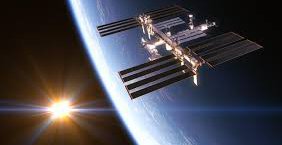
Our project is to track the International Space Station (ISS) and display the number of astronaut on boards and update the location of station's longitude and latitude in every 5 seconds in real time using geocoder library. API (application programming interface) is the backbone of this project because it helps to provide all the important information from the database of the NASA using JSON (Javascript object notation) as a list of string which updates in every 5 seconds and to deploy our project using python and its libraries . In our project we have also used turtle library for 2D graphics and urllib.request for fetching data
Link to Final Project
Link to Project "Demo"
Detailed Project Description
out project tracks the real time location of the international space station and count the names of members on board by a project based on python.
We have imported few libraries and data from the website of nasa.
We have used geocoder library which retrieves the location in longitude and latitude in real time with use of its ip address.
We have used JSON to fetch the data from a server and converting it into the form of array to display the needeed information in out project.
We have used turtle to create pictures and shapes by providing them witha virtual canvas
we have used urllib.request to define functions and classes which help in opening URL's in a complex world.
Space Agency Data
http://api.open-notify.org/iss-now.json
http://api.open-notify.org/astros.json
https://www.nasa.gov/
https://www.wikipedia.org/
Hackathon Journey
Our experience was great in this hackathon.
what did we learn ?
- we learnt to use API more effectively and on large database
- we learnt to do teamwork to build out code
- we learnt a lot about international space station.
What inspired us?
- The deficient knowledge among the young generation about the progress of human race in the field of space inspired us to do this and make the students aware of the ISS.
- The code most and API usage on such database to apply the skills we had and make best conclusions out of it.
Our approach :
References
import json
import turtle
import urllib.request
import time
import webbrowser
import geocoder
url = "http://api.open-notify.org/astros.json"
response = urllib.request.urlopen(url)
result = json.loads(response.read())
file = open("iss.txt", "w")
file.write("There are currently " +
str(result["number"]) + " astronauts on the ISS: \n\n")
people = result["people"]
for p in people:
file.write(p['name'] + " - on board" + "\n")
# print long and lat
g = geocoder.ip('me')
file.write("\nYour current lat / long is: " + str(g.latlng))
file.close()
webbrowser.open("iss.txt")
# Setup the world map in turtle module
screen = turtle.Screen()
screen.setup(1280, 720)
screen.setworldcoordinates(-180, -90, 180, 90)
# load the world map image
screen.bgpic("map.gif")
screen.register_shape("iss.gif")
iss = turtle.Turtle()
iss.shape("iss.gif")
iss.setheading(45)
iss.penup()
while True:
# load the current status of the ISS in real-time
url = "http://api.open-notify.org/iss-now.json"
response = urllib.request.urlopen(url)
result = json.loads(response.read())
# Extract the ISS location
location = result["iss_position"]
lat = location['latitude']
lon = location['longitude']
# Ouput lon and lat to the terminal
lat = float(lat)
lon = float(lon)
print("\nLatitude: " + str(lat))
print("\nLongitude: " + str(lon))
# Update the ISS location on the map
iss.goto(lon, lat)
# Refresh each 5 seconds
time.sleep(1)
Tags
#software #python #nasa #greaternoida