
High-Level Project Summary
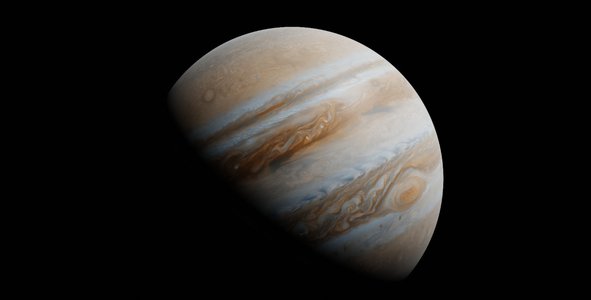
We develop an aplication with an interface that can process JunoCam images for scientific and artistic use. The user can charge a folder whith the five original images obteind from JunoCam repository; and the interface shows the original images and the processed ones. We occupy diferent methods according the images and the user can adjust the brightness, the contrast and the saturation. At first the aplication can merge the three RGB images in one color image; other achievement is that with one colorless map image we obtain a colorfull map image with better resolution and contrast. Our proyect is very important because this interfase will work with other telescopes images.
Link to Final Project
Link to Project "Demo"
Detailed Project Description
Our project process images from JunoCam merging the BGR channels and displaying it in a user interface, allowing us to modificate brightness, saturationd and contrast. To achieve this, we used python and different modules like OpenCV, Matplotlib, Numpy and Tkinter.
We use OpenCV for merge the BGR channels into one color image , modify brightness, saturation and contrast, and export modified images; Numpy for all the data calculations. Tkinter for creating the user interface, Matplotlib for plot images in the canvas.
For generate color images we read every channel in grayscale with OpenCV getting one NDarray per channel and merging it into one colored image.
For mapprojected images we oversaturate and adjust contrast and brightness of the image achieving a colorfully and texturized image.
For the user interface we have different buttons that calls specifics functions in our code for process and plot the images.
We tried to process raw images dividing it in framelets, adding a 27 pixels gap and generate the three different BGR channels, but a displaced image was generated when we merge the channels into one colored image; due to complexity and time, we couldn't process raw images properly and is a work in progress.
Space Agency Data
We used a folders whith five original images obteind from JunoCam repository. For example some links: https://www.missionjuno.swri.edu/Vault/VaultDownload?VaultID=42537&ts=1656511106
https://www.missionjuno.swri.edu/Vault/VaultDownload?VaultID=44442&ts=1656511106
https://www.missionjuno.swri.edu/Vault/VaultDownload?VaultID=43822&ts=1656511106
Hackathon Journey
We really enjoyd the hackathon because it allowed us to put in practice our programming and designing skills. Also it was really fun working in a interdiciplinary group and exchange thoughs and ideas.
We learnd to solve problems in little time and under a lot of pressure as well as good team comunication.
The callenge that we chose called our atention because we never worked with image processing before and it represented a challenge to all of us .
To solve our problems we took some time of the computer and plan what we needed to do on a board and explaid to one another wha we tought it was the best solution.
We are really thankfull with the organizers for everything.
References
JunoCam images
JunoCam Imagen Processing by Gerald Eichstädt
Python, OpenCV, Numpy, Matplotlib, Tkinter
www.canva.com
All images used in our presentation and user guide were obtained from our software.
Tags
#JunoCam #ImageProcessor #Jupiter