
High-Level Project Summary
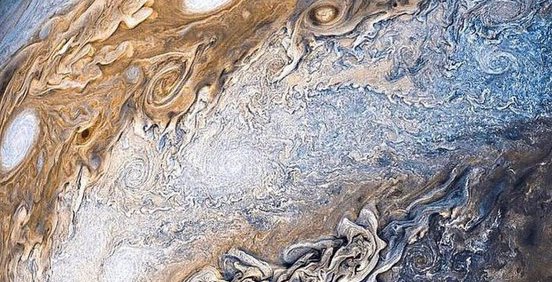
Our project aims to develop an easy-to-use desktop application which can process the planetary images as per the user's requirements. It can perform various operations on the image such as auto-enhancement, sharpening, edge detection, increasing brightness, color variation, denoising and gamma correction. As per the challenge, the application can process the JunoCam raw images in different ways to be used by scientists for research purposes or by artists for creative use. Processing the images in different aspects is important as it can provide better details for studying the state of the planets and can also provide a better visualization.
Link to Final Project
Link to Project "Demo"
Detailed Project Description
About:
This software allows users to process the images in different ways as desired. It can enhance the images to provide a better visualization of the features in the image.
Working:
- The start page of the software requires the users to upload the image to be processed from their local computers.
- In the home page, we have provided various features that can be applied on the image.
- The 'Save' button in the home page allows users to save the processed image to their local system.
- The 'Discard' button removes all the changes and discards the image.
- The 'Save' button within every feature allows the user to save the changes in the processed image and compare it with the original image.
- The 'Share' button provides the feature to share the image to various social media platforms.
Benefits:
Our project can be used by artists to get creative with the features and come up with various artistic images of the planets. It can also be greatly useful for the scientists in the research field as the image processing features provide a better and detailed visualization of the planetary images to get a better understanding of the state of the planet.
Aim:
We hope to provide a user-friendly platform which can be easily used by anyone to meet their requirements and to contribute to the research field.
Tools:
- Languages: Python
- Softwares: VScode, PyQt creator, Github
- Packages: OpenCV, PyQt, Pillow, pyimgur
Space Agency Data
We took the data from the resource that was given to us by NASA (link). We used the images to analyze the features that we would need to implement. We used many filters like edge detection, RGB variation, sharpening etc , to process it and then eventually compared it to the original image. Using the data we found the features that would be needed by the scientific community. Also, we took the artistic parameter into account because we were inspired by the artistic images created by other people in the dataset.
Hackathon Journey
- Working on this challenge was an informative and learning experience. We got more exposure in working with UI and image processing. Going through the data also gave us an insight into the JunoCam mission.
- We chose this challenge as the concept of the JunoCam mission to incorporate people from all over the world to get creative with the data provided by the agency was really intriguing.
- We approached this project by looking into the image processing algorithms and looking for the algorithms that would be suitable for our needs.
- While some members worked on the image processing factor, the others worked on implementing the UI.
- Google and guidance from our mentor were a great help in resolving setbacks and challenges. we worked together as a team and were able to get through all the problems that we faced. we would like to thank the space apps team to give us this opportunity and also our mentor under whose guidance we were able to finish our project
References
- Data: Juno cam images
- Tools: VScode, PyQt creator, Github, Canva
- Api: Nasa apod api
- Packages: Pyside6, PyQt6, Pillow, opencv-python, matplotlib, PyImgur
Tags
#software, #science, #imageProcessing, #JunoCam