
High-Level Project Summary
We developed a JavaFX app from scratch that allows the user to explore space as he answers questions about the James Webb telescope. To improve the learning experience, the app incorporates a set of 3 initial lives and score section initialized to zero; both evolve during the game as they answer questions. We also added an explanation to each question as extra knowledge for the user. It "solves" the challenge because it engages the youth's attention towards learning about the James Webb Telescope through challenging themselves on a fun trivia game with extra knowledge in each question. It's really important to get the youth's interest in studying space in order to get our future scientists.
Link to Final Project
Link to Project "Demo"
Detailed Project Description
Browse the Webb is a game application that uses trivia like questions to challenge the player's knowledge about the James Webb Telescope and some topics strongly related to it. Find in this link a video of the app's usage: https://drive.google.com/file/d/133bc0mbFlj17Oo61aPmQ2u3VqoweK5cj/view?usp=sharing
How does it work? The user must introduce a name in order to start a new game, once the game is loaded they can find the levels, and in each level they can find multiple questions to solve.
- The questions can be multiple choice & true or false.
- Every answered question either adds or discounts 100 points to your global score if you've answered correctly the question or not, respectively.
- To pass each level you are given three lives, once you fail to answer 3 questions from the level you are playing, you lose all of your lives, so the level gets restarted.
- To answer question number 2, you must have answered correctly question number 1, and so it goes on following that pattern.
- Each question if answered incorrectly will give you access to a clue. And once the question is answered correctly you will get access to a book icon that will show information more in depth about the question you just answered + a real photograph of interest.
What benefits does it have? It involves an interactive way of learning some theoretical concept, in addition to it, it is also challenging, which makes you want to keep playing and learning, so it awakes in the player the spirit to learn about the James Webb and other space related subjects. Mostly focused on getting the youth's attention, it could be a way of getting young audiences to become interested in space studies.
What tools, coding languages and software did we use to develop our project? We used Java and JavaFX to program our application, and we worked using IntelliJ and SceneBuilder to code the app. We also used GitHub to be able to code together and Photoshop to create our own images and icons to include in the interface.
Space Agency Data
We used the James Webb Space Telescope website to get all the information needed to prepare our trivia (questions, answers and explanations) since the main website redirects you to the James Webb blog and lots of information can be found about the topic.
It was crucial to us to get real information in order to prepare the questions of the trivia, since we wanted to make a game that stated facts and not fake data, and every bit of information we read lead to a new question and to learn new things that even us didn't know, so working with this source was both helpful and inspiring to keep on creating content for the app.
Hackathon Journey
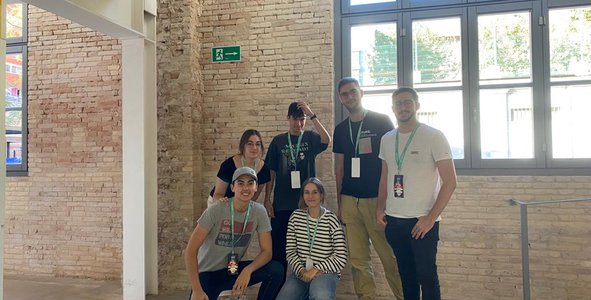
This has been the first experience in a Hackathon for all of our members. Our journey through this spaceapps challenge has been quite difficult, since we have developed the application from scratch, but with great desire and enthusiasm we overcame all the trouble found on the way.
We have learnt the dynamics of teamwork, design of images/scenes, tips for presentations and how important a good idea can be to develop a great project. The talks at the event have also been very educational, adding value to our project.
We have chosen this challenge because we are fascinated by the new James Webb Space Telescope and we believe that people do not have much information at their disposal to inform themselves (neither of us were aware of how much information is up there until we started further research) and much of the information is difficult to access, specially for young audiences who are used to making little effort whilst searching for information (they want quick and short delivery of facts).
Regarding the development of our application, we have distributed the different sections to all the members of the group, each one advanced on their task individually and from time to time a we put our ideas and advances in common in case new decisions were to be made. If we found any setback along the way we asked other members of the group or our mentors for help and tried to solve it quickly. In case of it being a very serious inconvenience, all the members got involved until it got resolved.
We want to give special recognition to the mentors and organizers of the event who have helped us in the difficulties we encountered and provided us with food, coffee and a great spot to work alongside other teams.
References
We used:
- Freepik: https://www.freepik.es (open source icon repository. Used to get some of the icons used in the buttons).
- The NASA's James Webb web page: https://webb.nasa.gov (to get the information used in the questions and explanations).
- On of our icons was taken from: https://www.exploreyouruniverse.org/toolkit/james-webb/james-webb/
- Unsplash Free Image Repository (https://unsplash.com/es/s/fotos/james-webb) and Pixabay Free Image Repository (https://pixabay.com) -> to get some of the photographs used in the explanation section of each question.
Tags
#game #coding #JamesWebb #educational